
Evolving ambient music, shaped by touch.
Ambivuu is a generative ambient instrument for iPad and Mac. Choose a musical world, guide its movement, and let drones, melodic figures, and spacious texture unfold without programming a timeline.
Try every feature free for 7 days. One purchase unlocks iPad and Mac with the same Apple Account.
A new instrument, made for iPad.
The iPad edition brings Ambivuu’s evolving sound world to a focused performance deck. Direct controls keep density, movement, tone, envelopes, mix, and space within reach, while a live display makes the instrument feel present as it plays.
Move from drones to melody with Flow.
Flow is the iPad performance control at the centre of Ambivuu. Slide left for drone-led atmosphere, settle in the middle for a balanced blend, or move right to bring forward melodic activity. It changes the balance and behaviour of the music while keeping your chosen sound world intact.
Sustained, spacious atmosphere
Drones and melodic detail in balance
More active melodic motion
Independent Drone and Melodic level controls refine the balance further. Separate sends let each layer enter the shared delay and reverb in its own way.
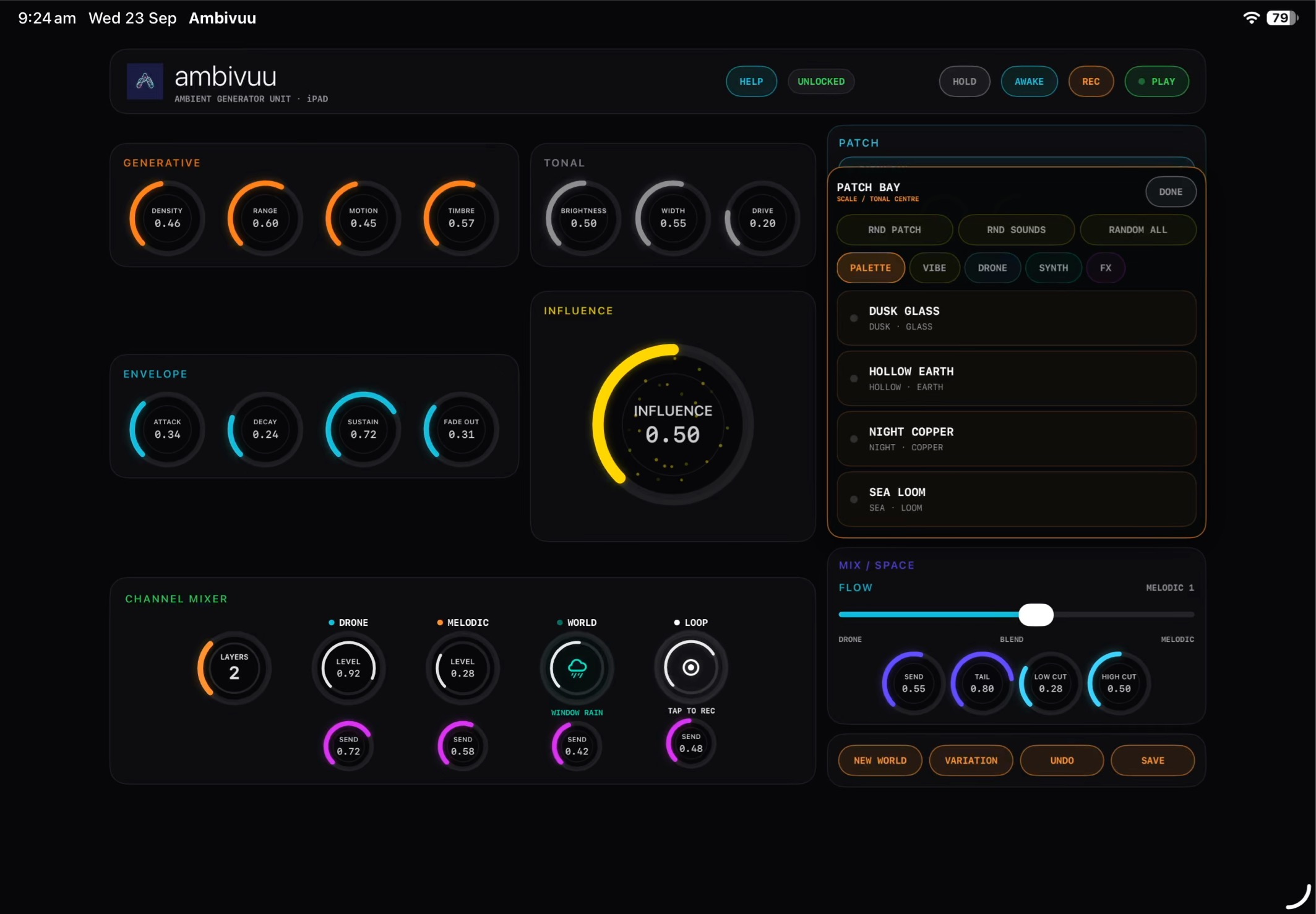
Find a world, then make it yours.
Palettes set the tonal centre and available notes. Vibes set pacing and generative character. In the Patch Bay, choose Drone, Synth, and FX patches yourself, or leave the choices on Auto to discover combinations.
New World creates a fresh state; Variation creates a related alternative; Undo restores the previous world; Save keeps a state for later recall.
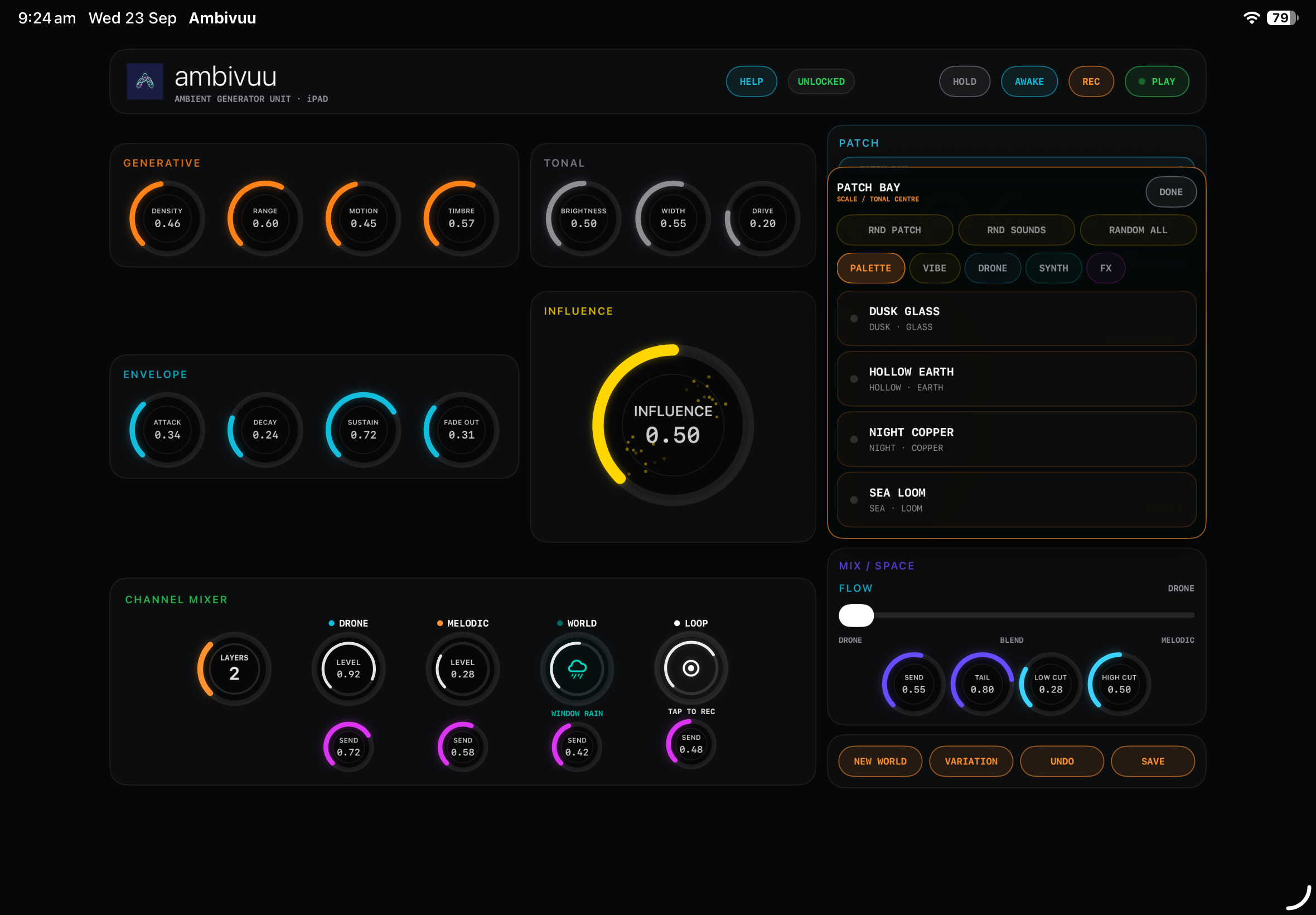
One sound world. Two ways to perform.
Buy once and keep playing on iPad and Mac with the same Apple Account.
| iPad | Mac |
|---|---|
| Touch-first instrument deck | Deep desktop instrument workflow |
| Direct Flow performance: Drone → Blend → Melodic | Floating assignable XY Pad for deliberate two-dimensional control |
| Palette, Vibe, Drone, Synth, and FX Patch Bay | MIDI Learn, recording, rolling 30-second capture, selectable audio output |
| Shared sound world, trial, and permanent unlock | Shared sound world, trial, and permanent unlock |
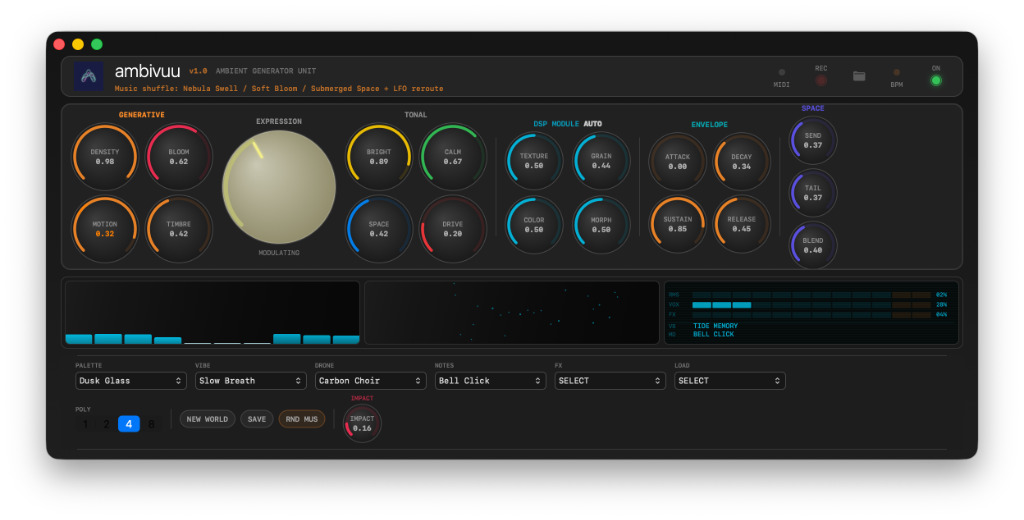
Go deeper on the desktop.
Ambivuu for Mac extends the shared generative sound world with a deliberate desktop workflow. Use MIDI Learn, record a performance or keep a rolling 30-second capture, select your audio output, and shape two dimensions at once with the floating assignable XY Pad.
- MIDI Learn
- Recording and capture
- Selectable audio output
- Assignable XY Pad
Start with a world. Let it evolve.
Explore all of Ambivuu for seven days. Unlock once to keep the instrument on iPad and Mac.
Get Ambivuu on the App Store