Unlimited Routings
No monthly cap.
Speak naturally. Afterthought connects you to your favourite apps — from your Watch or your Action Button, privately, on-device, without an account.
Apple Watch · iPhone 15/16 Pro Action Button · Free to start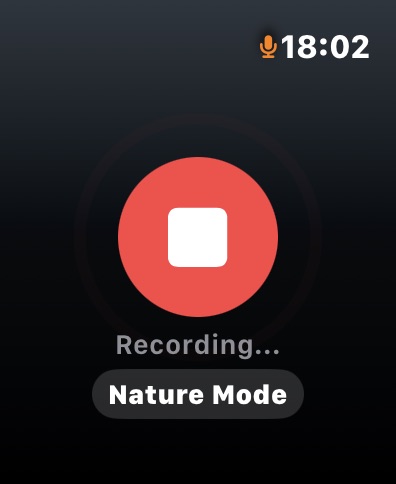
Three steps. No decisions required.
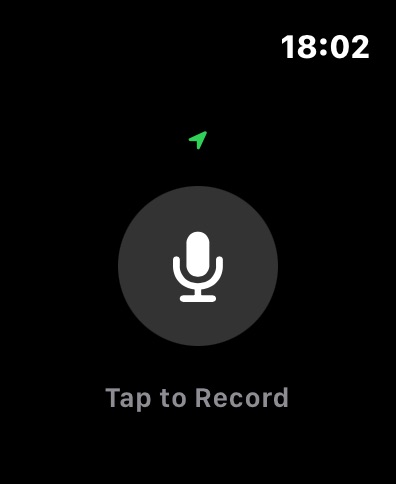
Press the Action Button or tap once on your Watch. Speak naturally — a task, an idea, a reminder, a message. No commands, no keywords.
On-device intelligence classifies your note automatically. The ML model runs locally — no internet required, nothing sent to a server.
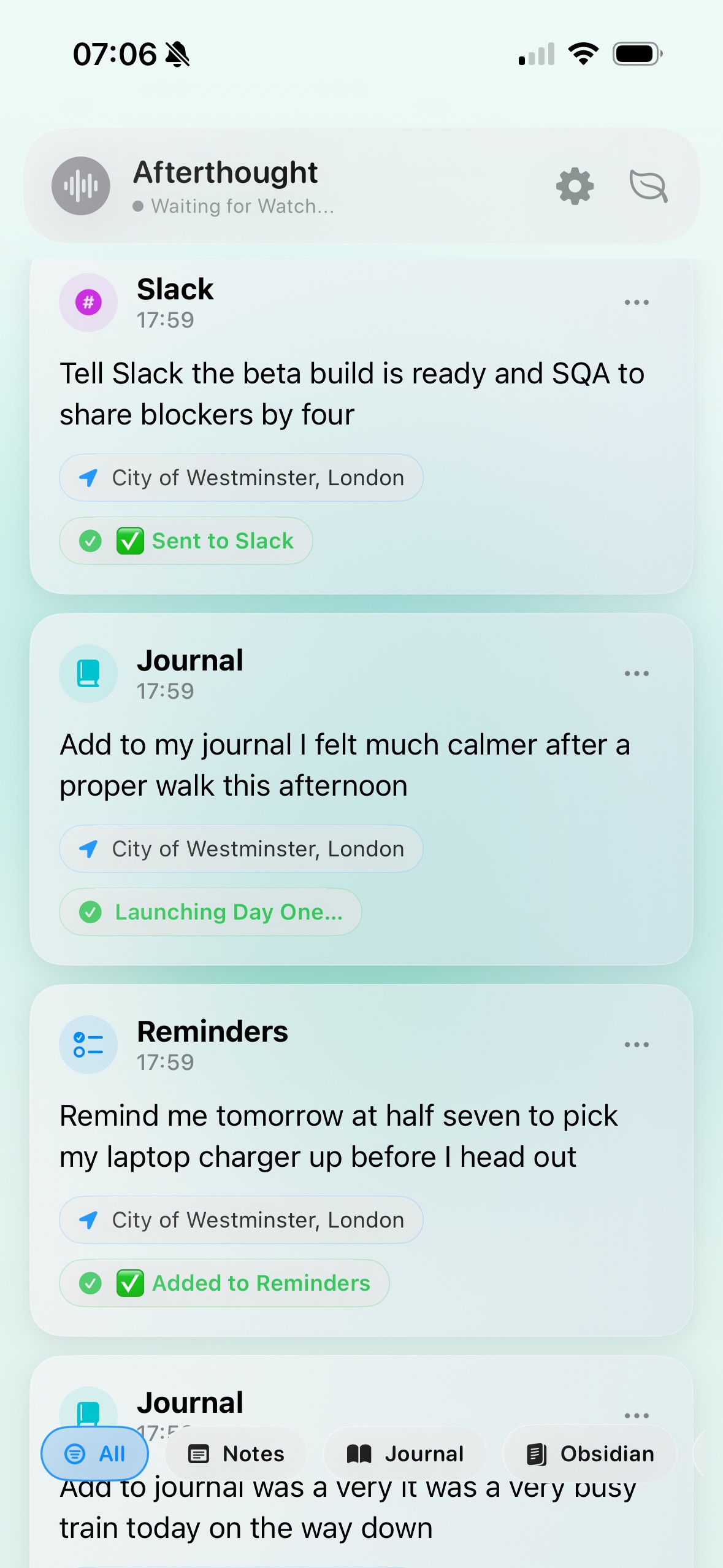
Your thought lands in the right app. Reminders, Calendar, Todoist, Notion, Slack, Bear — wherever it belongs, without you deciding.
Your Watch captures, classifies, and queues your thoughts without a phone or internet connection. Go for a run. Take a walk. Everything is held safely on your wrist — and connects automatically the moment you reconnect.
One press. Speak. Done. Your note is captured and connected immediately — to Notion, Obsidian, Todoist, Reminders, and more — entirely on your iPhone. No internet needed. No cloud. Just the right place, right now.
Built for the gaps between tasks — a run, a commute, a moment of clarity.
Raise your wrist or press your Action Button. Speak naturally — no commands, no precise phrasing required. Afterthought understands what you meant and connects you to your favourite apps automatically.
On Apple Watch, thoughts are captured offline and held until you reconnect. On iPhone, capture and connection happen immediately. Either way, everything stays on your device.

Afterthought classifies your note automatically — a task, an event, an idea, a reminder — and routes it to the right app without you lifting a finger. Say "remind me to call the dentist" and it becomes a Reminder. Say "meeting with Sarah Tuesday" and it goes to Calendar. Say "idea for the homepage" and it lands in Notion.
Most apps promise privacy. Afterthought makes it structural. Intelligence runs on your device — no server to send your data to, no API key required, no account needed. Works offline, always.
Connect the apps you already use. Reminders, Calendar, Todoist, Notion, Slack, Bear, Obsidian, Apple Music — with new integrations added regularly. Each one is a new destination your voice can reach.
Watch or iPhone — the pipeline is the same.
Raise your wrist or press your Action Button. Say it naturally — no commands required.
On-device AI interprets what you actually meant. Core ML for speed, local LLM for depth.
Intent recognised, destination chosen — Reminders, Notion, Obsidian, Todoist, Calendar, and more.
Sent automatically if confident. Held for your confirmation if not. Always correctable.
On Watch, your thoughts stay on your wrist until you're ready. On iPhone, they're processed immediately but never leave your device. Either way — your recordings and transcripts are yours unless you explicitly choose to connect them somewhere.
Three intelligence tiers — all private by default, each more capable than the last.
A custom Core ML model built for speed. Classifies intent in milliseconds, works offline, uses no battery to speak of.
Local LLM — on-device, ProDownload a local model — Gemma, Qwen, and others supported — and run it entirely on your iPhone. Genuine natural language understanding for complex or conversational notes — works fully offline, zero data leaves your device.
Connect OpenAI, Claude, Groq, or a custom endpoint for maximum interpretation quality. You control what gets sent and when.
Confidence routingClassification runs entirely on-device. The trained ML model is included free and works without a signal. Pro users can download a local LLM — Gemma, Qwen, and others supported — for deeper understanding of complex notes. No cloud processing. No data collection. No account.
Works with the apps you already use
Afterthought is more than a capture tool. Everything is editable, searchable, and configurable to fit how you think.
Not happy with how a note was classified? Override the intent and route it to any destination directly — no re-recording needed.
Find any note by content. Filter your feed by destination type — see only your reminders, only calendar events, only Todoist tasks.
Send the transcribed note, attach the original recording, or include both. Some notes benefit from the tone of voice, not just the words.
Get a notification the moment your Watch reconnects and begins transferring notes — so you always know your captures have landed safely.
Set how long Afterthought waits before routing a note automatically. Gives you time to review it, redirect it, or let it go.
Configure separate retention periods for notes and audio files. Auto-purge on your own schedule, or keep everything indefinitely.
Go Pro when your workflow outgrows Apple's apps.
No monthly cap.
On-device frontier intelligence.
Todoist, Slack, Notion, Obsidian and more.
Extra nature modes.
Free to download. Try it with Apple apps — Reminders, Calendar, Notes, Journal and Music — up to 20 routings a month, no account required. Upgrade to Pro for unlimited routings, all third-party integrations, and on-device LLM intelligence.
Quick answers about processing, privacy, and plan limits.
Everything is processed on your iPhone using on-device AI — Core ML for speed, or a local LLM for deeper understanding. If you capture from Apple Watch, notes are held on your wrist and processed the moment you reconnect. If you capture via the Action Button, processing happens immediately. Nothing leaves your device unless you opt in to a cloud provider in settings.
Nothing leaves your device unless you choose. On Apple Watch, recordings stay on your wrist until you reconnect — processing then happens privately on your iPhone. Connections to third-party apps like Notion, Obsidian, and Todoist only happen for destinations you have enabled. Cloud AI is off by default and entirely opt-in.
Siri takes dictation — you tell it exactly what to do and where to put it, and it sends your voice to Apple's servers for processing. Afterthought understands intent. Speak naturally about what's on your mind and it classifies and routes the note automatically, entirely on your device. No commands, no rigid phrasing required.
Enable the apps you want to connect to in settings. Afterthought then understands the intent of each note and connects it to the right destination automatically — Notion, Obsidian, Todoist, Slack, and more. Free tier connects to Apple apps only. Pro connects to all third-party integrations.
You can keep recording and transcribing, but automatic routing pauses until your monthly reset. Upgrade to Pro for unlimited routings and connections to third-party apps like Notion, Obsidian, and Todoist.
No. Afterthought has no login system and does not require a user account.
Yes — completely. Your Watch captures and stores your thoughts locally without any phone or internet connection. Go for a run, leave your phone at home, record as many notes as you need. The moment your Watch reconnects to your iPhone, everything is processed privately on-device and connected to your chosen apps automatically.
The free tier connects to Apple apps — Reminders, Calendar, Notes, Apple Journal, and Music — up to 20 routings per month. Pro connects to Notion, Obsidian, Todoist, Slack, Day One, Bear, and more, with unlimited routings. The integration list keeps growing.
Plans are billed through Apple. You can change or cancel at any time in your App Store subscription settings.