Say it
Record in Afterthought, from the Action Button, or on Apple Watch.
Afterthought for Notion
Speak from iPhone, the Action Button, or Apple Watch. Afterthought prepares a clear title and body for review, then sends it to your configured Notion workflow when you choose.
Free to download · No account required · Notion workflows require Pro
How voice notes reach Notion
Notion does not need to be open when you begin.
Record in Afterthought, from the Action Button, or on Apple Watch.
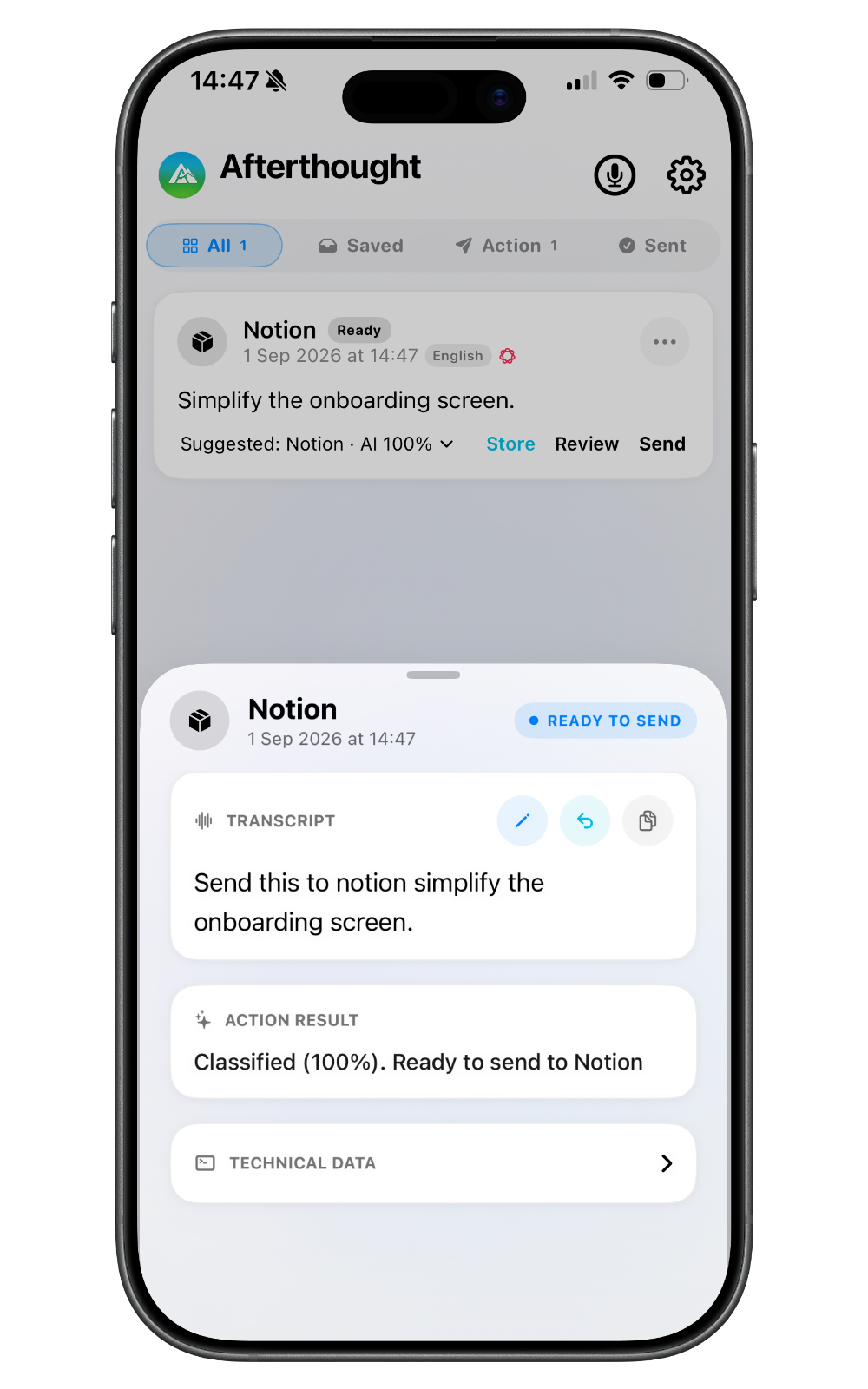
It prepares a concise note grounded in what you said.
Edit the title or body, or correct the prepared result by voice or text where supported.
Keep it in Afterthought or move it to Notion through your chosen delivery mode.
A real voice-to-Notion example
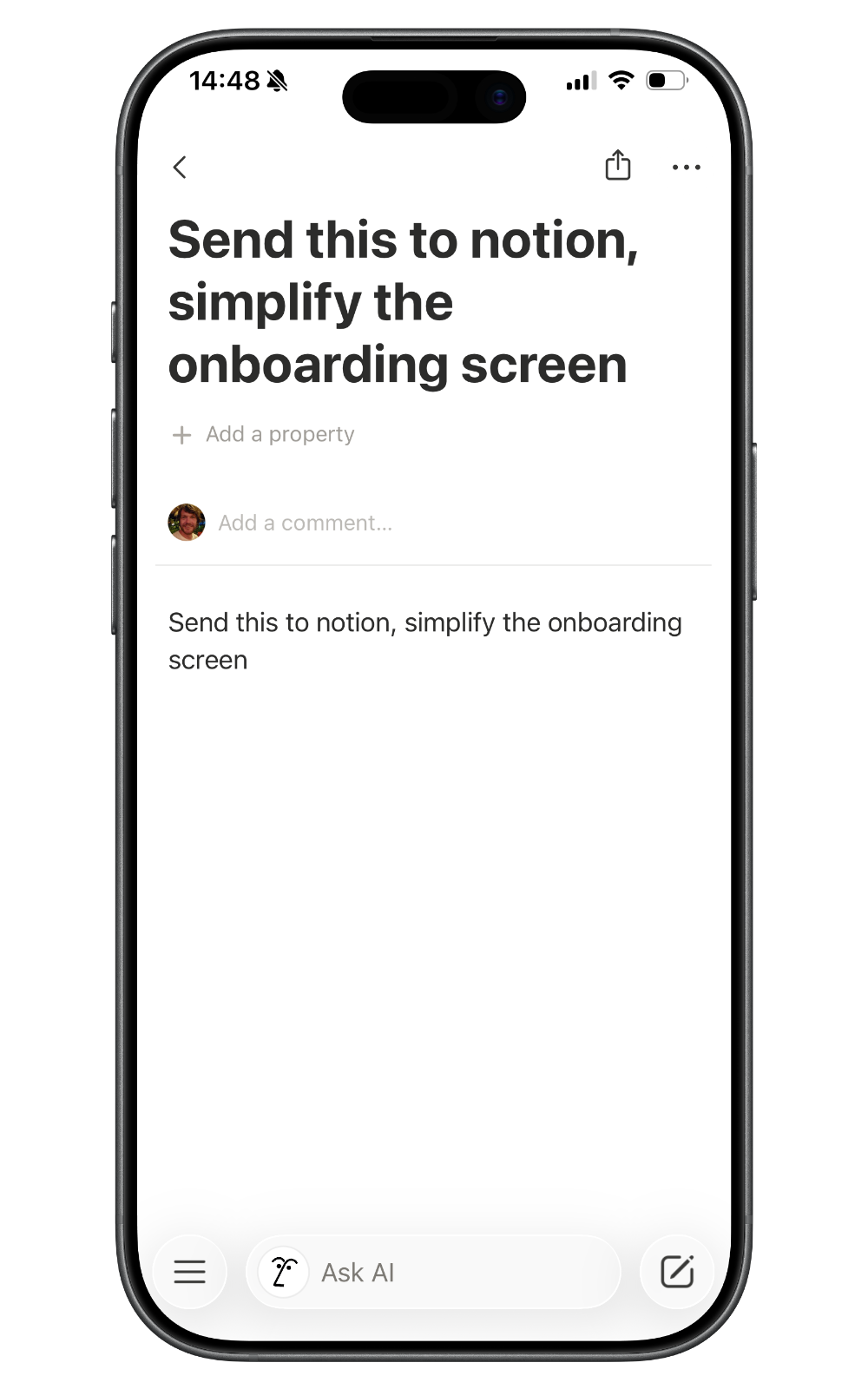
“Send this to Notion: ideas for simplifying onboarding. Make the first screen clearer and keep setup optional.”
The title is written to the database's Name title property and the body is written as paragraph content.
Capture anywhere
Record inside the app when review controls are already close at hand.
Remove the app-opening step and start speaking sooner.
Explore Action Button captureCapture away from your phone; the recording transfers when your devices reconnect.
Explore Apple Watch captureYou stay in control
Choose Transcribe Only, Classify & Review, or Classify & Send as your standard mode. Results that need attention remain available to review.
Adjust prepared output, including natural typed or spoken correction where supported.
An external destination is optional; your capture can remain in Afterthought.
When one recording requests several actions, the bundle stays together for review and never auto-sends.
Local-first privacy
Capture and transcription are local-first. Apple Intelligence, Classic, and downloaded Local AI Models can process on device. Text leaves the device when you choose configured Cloud AI or send the required content to Notion.
Notion voice capture FAQ
Yes. Record in Afterthought or start through the configured Action Button workflow, then review the prepared title and body before using your selected Notion delivery mode.
Yes. Record on Apple Watch. The recording stays on the Watch if needed, transfers when the iPhone reconnects, and is then processed on iPhone for review.
No. Notion does not have to be open during initial capture. API delivery uses a configured database; manual modes can open Notion or the Share Sheet later.
The currently validated API workflow writes a title to the configured database's Name property and a paragraph body. It does not automatically map arbitrary tags, status, dates, people, relations, projects, sections, priority, or custom properties.
Yes. Use Classify & Review to check or edit the prepared note. Uncertain results remain reviewable, and multi-action bundles never auto-send.
No. Capture and transcription are local-first. Cloud AI is optional and user-configured. Sending content to Notion sends the required text to Notion.
Notion is a trademark of its respective owner. Its name is used here only to describe a supported workflow; no partnership or endorsement is implied.
More ways to capture
Your apps. Your workflow. Just an easier way in.