
Say it
Record in Afterthought, from the Action Button, or on Apple Watch.
Afterthought for Todoist
Speak from iPhone, the Action Button, or Apple Watch. Afterthought prepares the task, due time, and priority for review, then opens Todoist ready for your confirmation.
Free to download · No account required · Todoist workflows require Pro
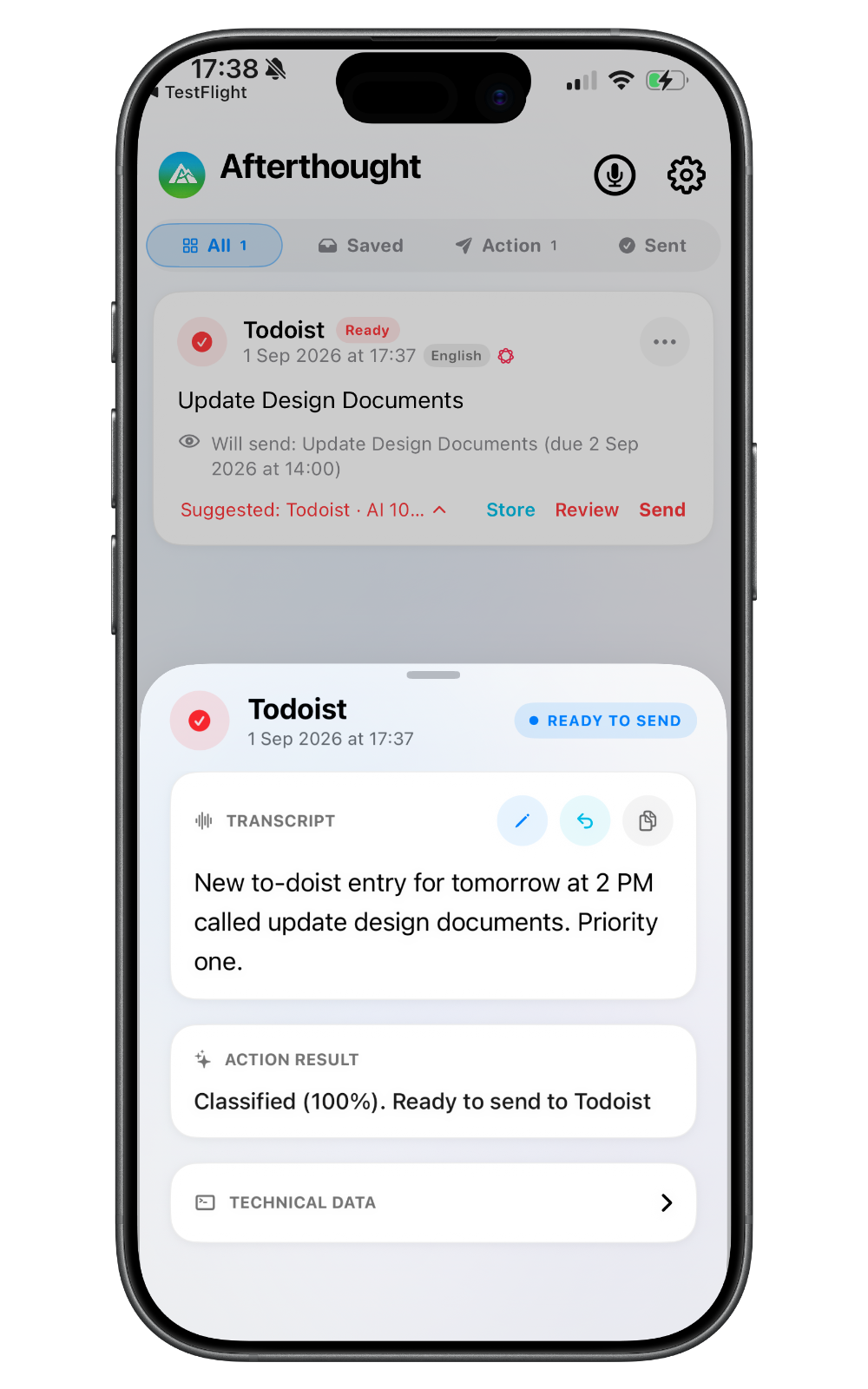
How voice tasks reach Todoist
Todoist does not need to be open when you start the capture.
Record in Afterthought, from the Action Button, or on Apple Watch.
It extracts the supported task details grounded in your words.
Check the task content, date, priority, and description where available.
Send through the configured API route or continue through Quick Add.
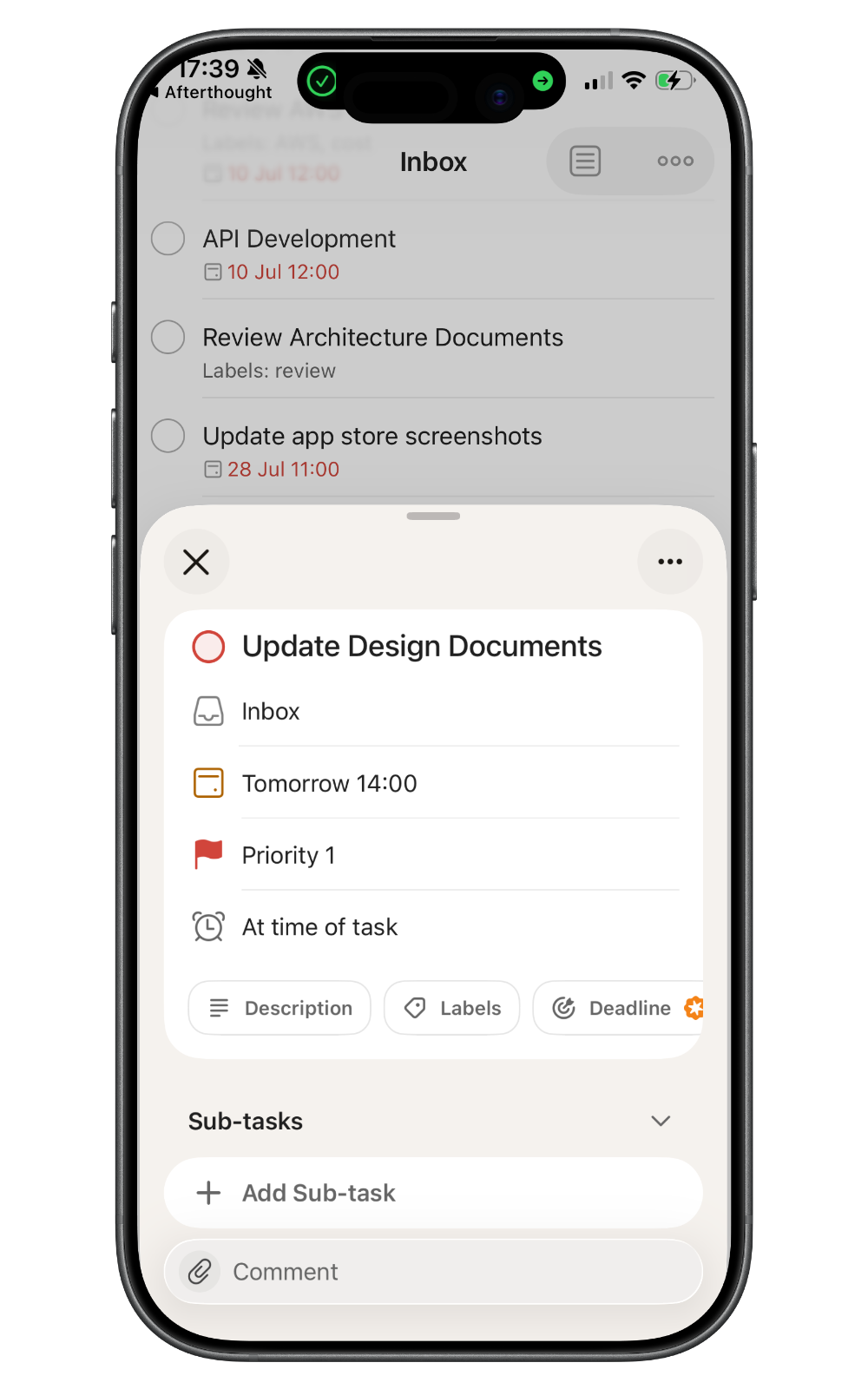
A real voice-to-Todoist example
“New Todoist entry for tomorrow at 2 PM called Update Design Documents. Priority one.”
The shown Quick Add route opens Todoist with the task, date and time, and priority ready for you to send.
Capture anywhere
Record inside the app when you want the review controls close at hand.
Start a task capture without finding and opening Todoist.
Explore Action Button captureRecord the task from your wrist, even while your iPhone is out of range.
Explore Apple Watch captureStructure with control
Use a review-first mode when you want to check the prepared fields. If Afterthought is unsure or information is incomplete, the result stays available to review.
Review task content, due date or datetime, description, and priority on the API route.
Quick Add is narrower and does not currently write the API route's optional description.
Several requested actions from one recording always remain together for review and never auto-send.
Local-first privacy
Capture and transcription are local-first. Apple Intelligence, Classic, and downloaded Local AI Models can process on device. Text leaves the device when you choose configured Cloud AI or send the required task content to Todoist.
Todoist voice task FAQ
Yes. Speak a task in Afterthought or begin from the configured Action Button or Apple Watch workflow. Afterthought prepares supported task details for review and delivery.
Yes. The Todoist API route supports an optional due date or due datetime and optional priority, grounded in what you said. You can review these details before sending.
Yes. Capture the task on Apple Watch. It is stored locally on Watch first, transfers when the iPhone reconnects, and is then processed on iPhone.
No. The API route can create the reviewed task without opening Todoist. Quick Add opens the appropriate Todoist workflow for user confirmation.
Yes. Choose Classify & Review to check or edit the result. Multi-action bundles always wait for review and never auto-send.
The capture remains available for review rather than being presented as a certain result. You can edit or correct supported output before committing it.
Todoist is a trademark of its respective owner. Its name is used here only to describe a supported workflow; no partnership, certification, directory listing, or endorsement is implied.
More ways to capture
Add useful structure without stopping to open Todoist first.