
Say it
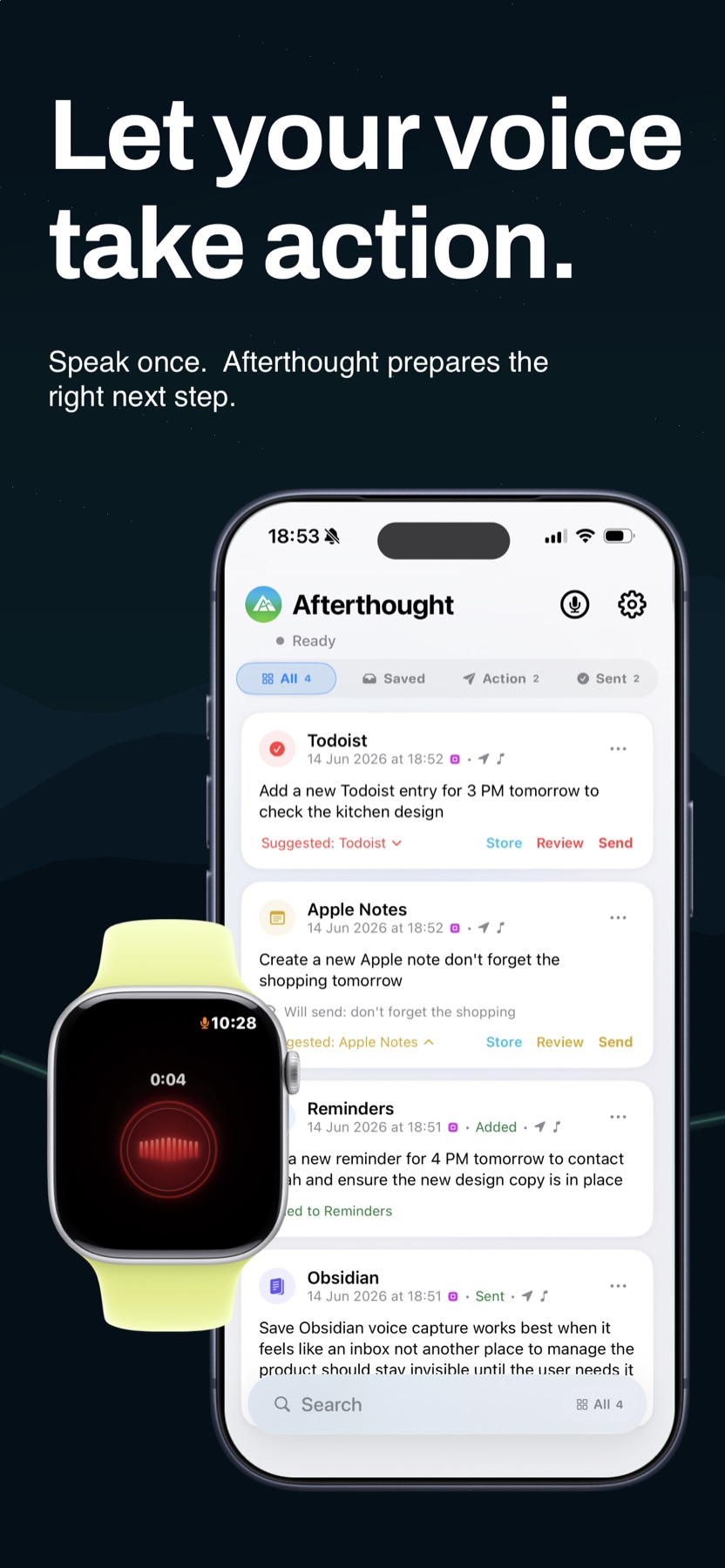
Record a reminder from Afterthought, the Action Button, or Apple Watch.
Afterthought for Apple Reminders
Speak from iPhone, the Action Button, or Apple Watch. Afterthought prepares the reminder title, date, time, and notes so you can review it before it is saved to Apple Reminders.
Free to download · No account required · Apple Reminders included
How voice reminders work
Apple Reminders does not need to be open while you capture the thought.
Record a reminder from Afterthought, the Action Button, or Apple Watch.
It identifies the reminder and the details you included, such as a date or time.
Check or edit the prepared title, date, time, and notes.
Keep it in Afterthought or create the reminder on your device when ready.
A voice-to-reminder example
“Remind me to call Sarah about the contract tomorrow at 4 PM.”
Review the prepared details, then create it locally in Apple Reminders.
Capture anywhere
Capture the detail while it is fresh, then choose when to review.
Start a reminder without finding and opening an app first.
Explore Action Button captureCapture a reminder from your wrist, even while your iPhone is away.
Explore Apple Watch captureYou stay in control
Use a review-first mode whenever you want to inspect the result before it is saved. You can correct a prepared action by voice or text where supported.
Review natural dates and clock times before creating the reminder.
The capture remains available in Afterthought while you decide what to do with it.
Several requests from one recording stay together for review and never auto-send.
Apple Reminders voice capture FAQ
Yes. Capture the reminder in Afterthought, then review the prepared title, date, time, and notes before you create it in Apple Reminders.
Yes. Apple Watch captures are stored locally first and transfer to your iPhone when the devices reconnect.
No. You can capture first and decide what to do with the prepared reminder afterwards.
Yes. Use Classify & Review to inspect or edit the prepared result before saving it.
No. Core capture does not require an Afterthought account.
More ways to capture
Capture the thought without stopping what you are doing.